

By EVOBYTE Your partner for the digital lab
A modern lab can invest in advanced instruments and still lose time at the front door. The reason is simple: samples often arrive with paper forms, handwritten notes, printed labels, and client details that must be typed into another system before any testing can begin. This is where OCR and Digitization create immediate value. By turning paper-based entry forms into structured digital data, laboratories can reduce manual typing, speed up registration, and improve data quality before the sample moves deeper into the workflow. In many labs, this first step is one of the most practical places to start a digital transformation because it affects turnaround time, traceability, and the daily workload of staff.
Where OCR and Digitization fit when samples reach the lab
Most laboratories follow a familiar pattern when samples arrive. A courier, client, ward, or collection site sends the physical sample together with documentation. That documentation may include patient or client details, collection dates, requested tests, sample type, storage notes, and billing or reporting information. Before the lab can proceed, someone must make sure the form matches the sample, confirm the required details are present, and create or complete the sample record in the LIMS, or Laboratory Information Management System. Modern LIMS platforms are built to support sample management, accessioning, tracking, workflow control, and chain of custody, which is why the quality of data at registration matters so much.
In practice, that first check is more important than it looks. CLSI states that patient registration, patient and specimen identification, and specimen labeling are critical across the preexamination, examination, and postexamination phases of laboratory work. Its guidance also notes that identification and labeling errors are among the highest-risk issues in the preexamination phase. In other words, sample entry is not just an admin task. It is a quality task. If the data is wrong at the start, the rest of the workflow may still run smoothly, but it will run smoothly on the wrong information.
A simple real-world example is a contract testing lab receiving environmental samples from multiple sites in one shipment. The bottles may be labeled correctly, but if the paper chain-of-custody sheet has missing dates, unclear site names, or a mismatch between requested tests and sample type, the receiving team has to stop and investigate. The same problem appears in clinical settings, where a specimen must match the submission form exactly. CDC guidance says each specimen should carry a unique identifier that also appears on the submission form, and that discrepancies can lead to canceled testing if clarification is not possible.
Why paper forms slow down sample registration
Paper forms create delays because they force the lab to use people as the connection between the physical sample and the digital system. A staff member has to read the form, interpret handwriting, decide whether fields are complete, enter the same information into the LIMS, and often print or apply a new internal label. That may take only a few minutes per sample, but in a busy lab those minutes scale fast. More importantly, every manual re-entry step creates another chance for missing fields, typing errors, or mismatched records. OCR exists largely to remove this repeated effort by converting printed or scanned text into machine-readable text that software can use.
The hidden cost of paper is not just labor. It is interruption. If a receptionist or accessioning specialist has to pause to call a client about an incomplete form, chase a missing collection date, or confirm whether two similar client names refer to the same account, the entire intake flow slows down. CDC training material states that missing information on a form can cause specimen rejection or invalid results, and that names on labels and forms must match. CLSI also notes that mislabeled specimens and identification errors can lead to serious downstream harm. Those risks explain why paper-based intake remains one of the clearest targets for Digitization in the digital lab.
This is also why spreadsheets rarely solve the problem for long. A spreadsheet can store data, but it does not reliably manage sample lifecycle, barcode-driven traceability, status changes, audit trails, or controlled workflows the way a LIMS does. When labs grow, the gap between “data captured somewhere” and “data captured correctly in the right system” becomes much more expensive.
From paper forms to LIMS: how OCR supports Digitization
OCR, or optical character recognition, is the technology that converts text in a scanned document, image, or PDF into machine-readable text. In simple terms, it lets software “read” a paper form after the form has been scanned or photographed. IBM describes OCR as a mix of hardware and software that converts printed documents into machine-readable text, while AWS explains that OCR is a core part of document processing because it turns paper forms into digitized, searchable data.
For laboratories, that matters because sample forms usually contain repeated fields that are ideal for structured capture. These may include client name, sample type, collection date, requested analysis, purchase order, storage condition, and submitter contact details. More advanced document tools go beyond plain OCR. Google Cloud’s Form Parser, for example, can extract key-value pairs, tables, text, and checkboxes from structured forms. That is especially useful for lab paperwork, where a box ticked for “rush testing” or “microbiology” may be just as important as the typed text on the page.
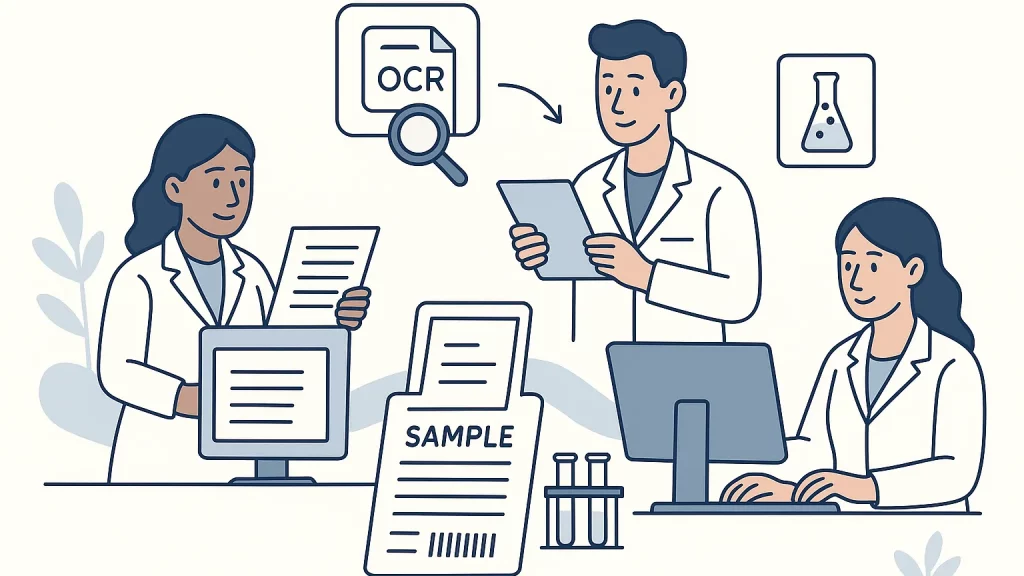
A practical digital workflow looks like this. The lab scans the incoming paper form or captures it at a receiving station. An OCR service reads the page and extracts the text. A form-processing layer then maps fields into the lab’s data model. Instead of a member of staff typing everything into the LIMS from scratch, the LIMS receives a prefilled sample record that still goes through validation and review. Once approved, the system assigns the internal sample ID, prints the barcode label if needed, and pushes the sample into the next workflow step. That is where Digitization becomes more than document storage. It becomes operational automation.
The benefits are immediate and easy to explain to nontechnical teams. Receiving staff spend less time on data entry. Supervisors get more consistent records. Clients see faster acknowledgment of receipt. The lab also gains better searchability, because scanned forms are no longer just image files sitting in a folder. They become usable data linked to the sample record in the LIMS.
Where AI can improve OCR and automate sample registration
OCR alone is valuable, but AI makes it much more useful in a real laboratory setting. IBM notes that OCR software can use AI for more advanced character recognition, especially for harder cases such as handwriting. AWS also describes intelligent document processing as a combination of OCR with machine learning and language-based analysis. That matters because lab forms are rarely perfect. They may contain unclear writing, inconsistent field names, old form versions, stamps, notes in margins, or mixed printed and handwritten text.
In a digital lab, AI can sit on top of OCR and act as a quality checkpoint before data reaches the LIMS. For example, it can flag a missing collection date, identify that a sample type does not match the requested test panel, detect that two required identifiers do not match, or warn that the same client reference number was already registered earlier that day. This is partly an inference from the capabilities of form parsers and document AI tools, but it follows directly from their ability to extract key-value pairs, tables, IDs, dates, addresses, and selection marks in structured documents.
A strong use case is automated sample registration with human review. The system reads the form, creates a draft record, assigns a confidence score to each field, and routes only uncertain cases to staff. Clear, standard forms may pass through almost untouched, while low-confidence forms are held for review. That gives the lab a realistic path to automation without giving up control. It also respects an important truth from specimen identification guidance: technology helps, but standardized processes and verification still matter.
Another useful example is client data reuse. If the same hospital ward, clinic, or industrial customer sends forms every day, AI can learn the common structure of those forms and reduce repeated entry even further. Over time, the lab can move from scanning paper to offering a digital portal, but OCR still plays an important bridge role during the transition because not every submitter changes at the same speed. CDC’s current specimen submission guidance reflects this broader shift toward digital intake as well, with its web portal preferred over older form-based submission methods.
How OCR and Digitization can be implemented in the lab
The best OCR projects in laboratories usually start small. One high-volume form is enough. That may be a client submission sheet, a sample receipt form, or a paper requisition that appears hundreds of times per week. The first goal is not to automate every edge case. The first goal is to make one repetitive intake step faster and more reliable. Standardizing the form layout, defining mandatory fields, and agreeing on how those fields should appear in the LIMS will do more for success than buying the most advanced AI tool on day one.
From there, implementation usually follows a clear pattern. The lab sets up document capture at sample receipt, chooses an OCR or document-processing engine, defines validation rules, and connects the output to the LIMS through an interface or custom middleware. A review screen lets staff compare the original form with the extracted fields before final registration. Audit logging in the LIMS keeps track of who approved or corrected each field. This kind of staged design aligns well with existing LIMS workflows for sample login, receiving, accessioning, and status tracking.
This is where custom software often becomes important. Many laboratories do not need a generic document scanner. They need a solution that understands their specific forms, sample types, customer rules, and approval process. A food testing lab may need lot numbers and chain-of-custody fields. A pathology lab may need physician details and specimen site. A biotech lab may need project codes and freezer location logic. The value comes from connecting OCR and Digitization to the real workflow, not from treating document capture as a separate island.
Conclusion: OCR and Digitization are practical starting points for the digital lab
For many laboratories, the fastest path to a more digital operation does not start with robots or advanced analytics. It starts with the paper forms that arrive with the sample. OCR and Digitization help labs turn those forms into usable data, reduce manual entry, improve matching between forms and specimens, and move sample registration into the LIMS with fewer delays. When AI is added on top, the system can do more than read text. It can check for errors, highlight mismatches, and automate routine registration steps while keeping staff in control of exceptions. That makes OCR and Digitization one of the most practical and high-impact use cases for the digital lab, especially for teams that want measurable gains in speed, quality, and traceability without disrupting daily operations.
Further reading
IBM: What Is Optical Character Recognition (OCR)? A clear overview of OCR, including how machine-readable text is created from scanned documents and how AI can improve recognition.
CDC: Specimen Submission Form and CSTOR Web Portal. A useful real-world example of how a major public health organization is moving specimen submission toward more digital, structured workflows.
CLSI: Patient and Laboratory Specimen Identification Processes. Helpful background on why correct identification, registration, and labeling are so important at the front end of laboratory work.
Google Cloud Document AI Form Parser. A practical reference for how modern OCR-based form processing can extract text, key-value pairs, tables, and checkboxes from structured documents.
Thermo Fisher: Core LIMS Software capabilities. A concise reference on how LIMS supports sample management, accessioning, tracking, and chain of custody after intake.