

Introduction
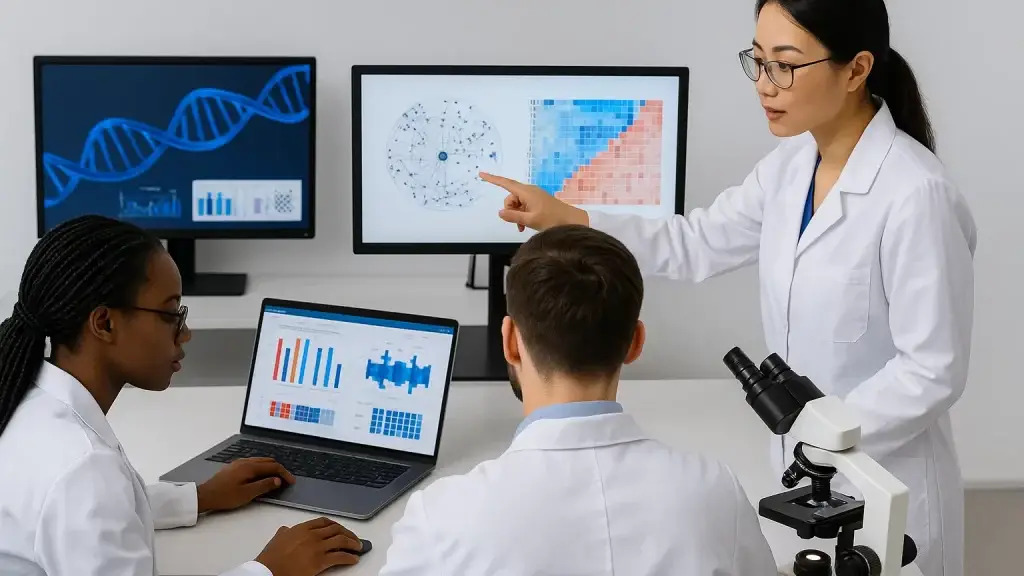
If you’ve ever tried to explain a complex omics result with a static plot, you’ve likely watched eyes glaze over as soon as someone asks, “But what happens if we filter to mitochondria?” High‑dimensional data rarely fits in a single figure. This is where interactive data apps shine. Instead of exporting dozens of panels, you give your collaborators a living interface where they can slice, search, and annotate on the fly. The conversation moves from screenshots to discovery.
Two frameworks make this leap from plot to app feel approachable for Python users: Streamlit and Shiny for Python. Both let you stay in Python while skipping the heavy lift of JavaScript, CSS, and traditional web frameworks. Yet under the hood they think about interactivity differently, and that difference can matter for performance, complexity, and how your team scales an internal bioinformatics tool. Let’s unpack where they overlap, where they diverge, and how to wire in a domain‑specific component like SeqViz for plasmid maps to make your omics dashboards feel native to wet‑lab workflows.
Interactive omics visualization beats static plots
Omics data—genomics, transcriptomics, proteomics, metabolomics—comes with wide tables, long tails, and non‑linear structure. A volcano plot is a great headline, but it can’t answer the inevitable “drill‑down” questions: which genes in this pathway drive the shift, how does the result change with a different threshold, and what happens in a specific cell type or batch? Interactive apps let users explore questions in the order that their curiosity emerges. They also preserve context: the same interface can show upstream QC metrics, the chosen filters, and downstream results, which reduces back‑and‑forth and the chance of misinterpretation.
Just as important, interactive apps improve institutional memory. When you wrap an analysis in an app, you document assumptions as controls rather than as brittle prose. New team members can replay an insight by toggling the same options. Stakeholders can self‑serve simple “what‑ifs,” and scientists maintain focus on deeper method work instead of generating one‑off figures. In short, apps replace static outputs with a reproducible, navigable narrative.
Streamlit and Python Shiny
Streamlit and Shiny for Python share the same promise: build production‑ready data apps with Python only. They ship batteries‑included primitives—layout, inputs, outputs—so you can connect pandas, Plotly, scikit‑learn, or your favorite omics stack without touching React or managing a separate backend. Both frameworks also support custom components, which is where they stretch into bioinformatics territory with genome browsers, plasmid viewers, or track overlays. Streamlit exposes an official “Components” system that renders a small web app in an iframe and communicates with Python, making it straightforward to package or embed specialized viewers.
Shiny for Python brings the same reactive engine long loved in the R ecosystem into Python. Instead of thinking “run a script, then rerun it,” you declare outputs and the inputs they depend on, and Shiny re‑computes only what changed. The result is fluid UI behavior that scales gracefully as apps grow in complexity, because calculations and renderers update minimally and predictably.
Key differences that matter for omics dashboards
While the developer experience feels similarly simple, the two frameworks approach interactivity differently.
Streamlit uses a top‑to‑bottom execution model: when a user interacts with a widget, the app reruns the script, rebuilding the page while preserving state. This model is refreshingly intuitive and keeps small apps readable. It also means you lean on caching and session state to avoid redundant work. Recent additions like fragments help by allowing parts of an app to rerun independently, reducing full‑page work where appropriate. For teams building QC panels, quick sequence inspectors, or small internal viewers, this model is often perfect out of the box.
Shiny for Python uses reactive execution. You define reactive calculations and effects; Shiny tracks their dependencies and only re‑executes the pieces that actually changed. As dashboards accumulate linked controls, multi‑step preprocessing, or expensive statistics, this model keeps interactions snappy without you manually threading state. If your omics UI includes chained filters, linked plots, and on‑demand analyses—think differential expression tied to an adjustable cohort plus an enrichment panel—reactivity reduces cognitive load and accidental recomputation.
Deployment can also influence your choice. Streamlit apps deploy easily to managed hosting or your own infrastructure. Shiny for Python offers traditional server deployment and, uniquely, Shinylive: a mode that compiles Python to WebAssembly (via Pyodide) so the entire app runs in the browser with no Python server. For lightweight genomics viewers where client‑side privacy is a plus, serving a Shinylive app behind static hosting can be compelling.
Practical example: embedding SeqViz in a Streamlit app
Domain‑specific visualization often makes or breaks usability. A wet‑lab scientist thinking in plasmids and features needs circular and linear views, enzyme cut sites, and annotations—not just a matplotlib axis. The SeqViz JavaScript library provides that plasmid‑centric look and feel. You can bring it into Streamlit two ways: build a custom component around the JS library, or use a ready‑made wrapper. The latter is fastest for internal tools. Here’s a minimal example using a small wrapper so you can drop a plasmid map into a Streamlit page in a few lines:
# streamlit_app.py
import streamlit as st
from streamlit_seqviz import streamlit_seqviz  # pip install streamlit-seqviz

st.title("Plasmid map (SeqViz)")

seq = "TTGACGGCTAGCTCAGTCCTAGGTACAGTGCTAGC"
features = [{"name": "promoter", "start": 0, "end": 30, "direction": 1}]
enzymes = ["EcoRI", "PstI"]

streamlit_seqviz(
    name="J23100",
    seq=seq,
    annotations=features,
    highlights=[{"start": 0, "end": 10}],
    enzymes=enzymes,
    style={"height": "480px", "width": "100%"},
)
With this in place, your app speaks the language of plasmid design. Users can zoom, inspect features, and scan enzyme sites without leaving the analysis context. If you prefer building your own component—for example, to unify branding or expose additional SeqViz options—Streamlit’s Components API provides TypeScript and React templates, and it renders the widget in an iframe that communicates back to Python. (pypi.org)
A quick Shiny for Python pattern for reactive omics filters
Shiny’s reactivity shines when multiple controls feed shared computations. Consider an expression matrix where users choose a gene list and adjust a fold‑change threshold. With Shiny, you compute the filtered table once and bind it to multiple outputs—table, plot, and download—without wiring custom invalidation. Here’s a tiny sketch:
# app.py
from shiny import App, reactive, render, ui
import pandas as pd

expr = pd.DataFrame({"gene": ["A","B","C"], "logFC": [1.2, -2.1, 0.3], "p": [0.01, 1e-5, 0.2]})

app_ui = ui.page_fluid(
    ui.input_selectize("genes", "Genes", choices=list(expr.gene), multiple=True),
    ui.input_slider("fc", "Min |log2FC|", 0.0, 3.0, 1.0, step=0.1),
    ui.output_table("tbl"),
    ui.output_plot("volcano"),
)

def server(input, output, session):
    @reactive.calc
    def filt():
        sel = expr[expr.gene.isin(input.genes())] if input.genes() else expr
        return sel[sel.logFC.abs() >= input.fc()]

    @output
    @render.table
    def tbl():
        return filt()

    @output
    @render.plot
    def volcano():
        import matplotlib.pyplot as plt
        df = filt()
        plt.scatter(df.logFC, -df.p.apply(lambda x: -pd.np.log10(x)))
        plt.xlabel("log2FC"); plt.ylabel("-log10 p"); plt.tight_layout()

app = App(app_ui, server)
The important detail is hidden in plain sight: the filt() calculation only re‑runs when either the gene selection or the threshold changes, and both outputs update automatically. You get fine‑grained recomputation by construction.
When to pick which for omics dashboards
If your immediate goal is to get a usable tool in front of scientists this week—QC summaries for an RNA‑seq pipeline, a variant browser for a single project, or a “load FASTA and visualize” utility—Streamlit’s script‑as‑app mental model helps you move fast. You’ll likely store state in st.session_state and cache heavy loaders. As the app grows, consider Streamlit’s newer execution controls (like fragments and forms) to minimize full reruns where appropriate.
If you anticipate a web of interdependent controls, expensive analyses, or a suite of linked outputs, Shiny’s reactive engine keeps your codebase tidy and your UI responsive. It also opens a path to zero‑server distribution with Shinylive, which can be attractive for client‑side experiences like feature inspection on moderately sized sequences or teaching materials that need to run anywhere a browser runs. For organizations already using Posit Connect, Shiny for Python deploys alongside R Shiny with the same governance and access controls.
Ultimately, both frameworks deliver what omics teams need most: interactive exploration without the complexity of building and maintaining a bespoke frontend. Your choice comes down to collaboration style and app shape. Prototype quickly with either, and let the data—and your users—pull you toward the model that feels most natural.
Summary / Takeaways
Static plots tell a story once. Interactive apps let users retell it in their own words. Streamlit and Shiny for Python both give bioinformatics teams a gentle on‑ramp to interactive omics visualization without learning a full web stack. Streamlit favors a simple “rerun the script” model that makes small tools effortless and, with fragments, more efficient than ever. Shiny for Python favors reactive execution that scales cleanly as complexity grows, and it uniquely supports fully in‑browser apps with Shinylive. If you need to embed domain‑specific viewers like SeqViz, Streamlit’s component system or a small wrapper puts plasmid maps right next to your analysis; if you need tightly coupled, multi‑output reactivity, Shiny keeps your logic declarative and fast. The best next step is practical: sketch your UI, stub the heaviest computation, and build a thin slice in both frameworks. Which version makes you forget you’re “doing web dev”? That’s the one to ship first.