

By EVOBYTE Your partner for the digital lab
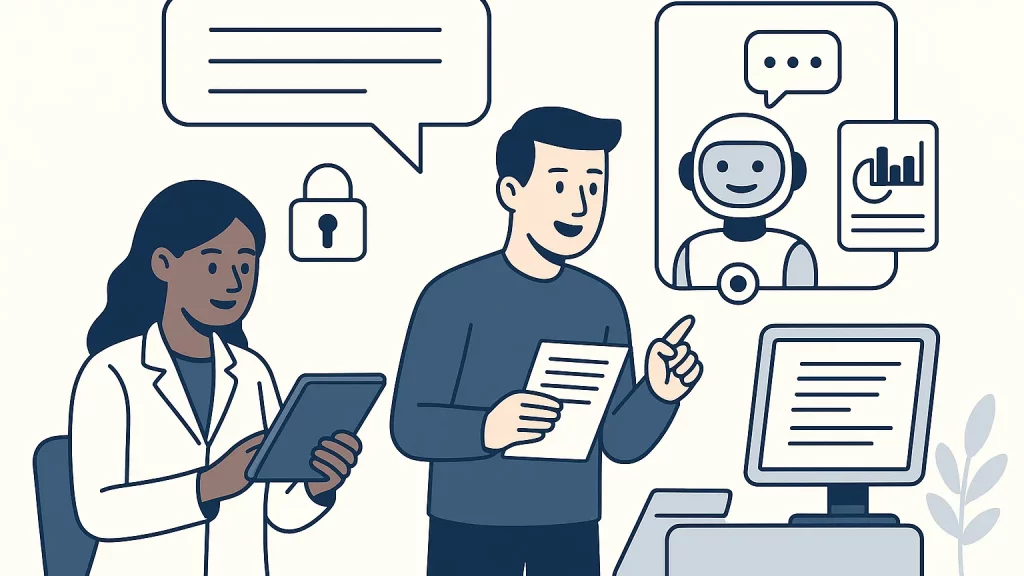
In many labs, the customer journey still ends with a static PDF. The file is accurate, but the format is rigid, and questions soon follow. Customers ask about units, ranges, flags, or what an assay actually means for their sample. The requests bounce to busy analysts or the front desk and slow everyone down. In a modern Digital Lab, you can extend your Laboratory Reports with an AI Assistant that answers routine questions, explains terms in plain language, and routes exceptions to humans. The result is faster Customer Support, clearer communication, and a better experience for every partner you serve.
Why one-size-fits-all PDFs fall short
Auto-generated PDFs enforce a single schema for all recipients. That is fine for archiving and compliance, but it is not ideal for understanding. Many readers want the same data delivered in different ways. A clinician may prefer a short, patient-facing summary, while a production manager at a food facility wants a risk note tied to a specification limit. A scientist reviewing a method validation cares about uncertainty and detection limits, not a marketing paragraph.
Static reports also hide helpful context. Reference ranges, sample handling notes, matrix effects, and QC flags often sit in separate documents. Readers have to hunt for them or email your team. Over time the same basic questions repeat, and a small lab can find entire afternoons lost to answering the same five emails.
What a report-aware AI Assistant actually does
A report-aware AI Assistant adds a conversational layer on top of each delivered result. Instead of forcing a customer to parse dense tables alone, the assistant can explain the assay in simple language and tie the explanation to the actual numbers in their report. If nitrate is reported at 8.6 mg/L, the assistant can clarify the unit, note the applicable limit for drinking water if relevant, and highlight whether QC controls passed. If the customer asks, “Why is there a flag next to parameter X?” the assistant can cite the method’s rule for flagging and point to the section of the report where it appears.
Because it is trained on your lab’s SOPs, method sheets, and glossary, the assistant reflects your voice and your science. It never invents new data; it reads from the delivered report and its approved knowledge base. Where the question goes beyond those sources—say, an interpretation that requires professional judgment—the assistant knows to escalate and invites a human follow-up.
How an AI Assistant upgrades Laboratory Reports in a Digital Lab
The magic is not a new file format, but a new access path. Alongside your PDF or portal download, the customer receives a unique access code tied to that specific report. They scan a QR code or click a secure link, enter the code, and the assistant loads with only the context for that report and the allowed documents around it. This keeps conversations focused, protects sensitive data, and ensures answers stay aligned to the original results.
Security and governance sit at the core of this experience. The assistant logs each interaction with time, access code, and the snippets used to craft the answer. If a conversation strays into medical guidance or a topic marked “human review only,” the assistant pauses and proposes a handover. You get the speed of automation with the safeguards of a regulated workflow.
A simple three-step guide to building the assistant your customers actually need
First, prepare the content and data foundation. Start with the outputs you already produce—PDFs, CSV exports, and the fields your LIMS stores for each assay. Convert the essentials into a structured form the assistant can search, such as a clean JSON or a standards-based representation like an Observation and DiagnosticReport record. Pair those results with your approved knowledge: method summaries, SOP excerpts, QC rules, a glossary of common terms, and the standard language you use for non-conformances. Keep customer data minimal, store it securely, and include clear disclaimers for what the assistant can and cannot say.
Second, design the conversation and the guardrails. Define the assistant’s scope so it answers only about the assays performed, the sample in question, and the associated report. Teach it to quote the exact values, units, and flags from the report rather than paraphrasing. Ask it to cite where each explanation comes from, for example “Report page 2” or “Method SOP section 4,” so customers can verify the answer. Build in identity checks using the access code and set session timeouts. Add simple escalation rules: if the question asks for diagnosis, contractual terms, or off-label guidance, the assistant acknowledges the limit and routes the message to the right person.
Third, pilot, measure, and refine. Roll out the assistant on one or two assays with a small group of customers. Watch the transcripts to see which questions come up most, where the wording confuses readers, and where the assistant asks for help too often or not enough. Use those insights to improve your report templates, add a missing glossary entry, or clarify a QC explanation. When you expand to more assays, you grow both the assistant and the quality of your reporting at the same time.
Real examples from everyday lab workflows
Consider an environmental testing lab that reports metals in groundwater. A municipality receives a PDF with results for copper, lead, and zinc. The project manager opens the assistant with the report’s access code and types, “Does this exceed any guideline?” The assistant compares the reported values to the local guideline table stored in the knowledge base, explains that copper is below the action level, and links to the exact table row used for comparison. The manager follows up with, “What does ‘J’ mean next to zinc?” The assistant explains the qualifier as “estimated,” gives the method reason, and points to the method detection limit used in the calculation.
In a food microbiology lab, a supplier asks, “Is this Salmonella result compliant with our spec?” The assistant reads the report and the customer’s specification note on presence/absence, clarifies the method used, and explains how enrichment and confirmation steps affect the interpretation. Where a legal or contractual interpretation is needed, it gracefully hands over to a human contact and logs the request.
In a clinical context, a patient wonders, “What is a reference interval and why am I out of it?” The assistant defines the term in plain language, notes that reference intervals vary by population and method, and invites the patient to discuss results with their healthcare provider. It avoids diagnosis and follows your lab’s policy on medical advice.
Security, privacy, and trust, built in from the start
Trust is earned through careful design. Each access code should be unique to a report and time-limited. Codes can be printed on the PDF and delivered through the existing portal, then verified before any result content appears. All conversations are encrypted in transit and at rest, and stored in the same region as the underlying data. The assistant should never expose internal file paths or staff notes. When it cites a source, it uses plain references like “Report ID XYZ, page 3,” not a server link.
Compliance expectations vary by domain, but the principles are consistent. Keep personal and health data to the minimum needed for the conversation, document your retention policy, and provide a simple way for customers to request deletion of conversation transcripts. Maintain an audit trail that shows what data the assistant used to answer and what it decided to hide or escalate. Align the assistant’s scope with your accreditation and quality system so that it reinforces, rather than complicates, your ISO 15189 or similar requirements. If you work in jurisdictions with specific privacy rules, configure hosting and access controls accordingly to meet those obligations.
From Digital Lab vision to day-one value
The goal is not to replace your team. It is to give them hours back each week and to give customers clarity the moment they need it. When routine questions no longer pile up, your analysts focus on investigations and method improvements. When customers get clear explanations in context, they send fewer repetitive emails and escalate only the questions that truly need expert input. And when the assistant flags that a term confused many readers, you get direct insight into how to improve your Laboratory Reports themselves.
This approach also deepens relationships. A partner who receives a tailored explanation will remember the experience. The assistant becomes a branded extension of your Customer Support, available whenever a customer opens their report. Over months, the quality of your content improves because you can see, in clean data, what customers actually ask and where they hesitate.
How EVOBYTE helps you build and test a working prototype
At EVOBYTE, we start with what you already have and turn it into a safe, useful pilot. In a short discovery call, we review your current report formats, your LIMS or data exports, and the handful of assays that drive most of your questions. We then assemble a minimal knowledge base from your SOPs, method summaries, QC rules, and glossaries, and prepare a structured representation of one or two reports. Our team configures an AI Assistant that reads only from that content, enforces strict sourcing, and answers in your lab’s preferred tone.
We add a simple, secure access code flow that fits how you deliver results today. If you email PDFs, we add a QR code and short URL. If you have a portal, we embed the assistant behind a login and a report selector. We log every answer with its citation and set up alerts for high-risk topics that require a human. Before any external users test it, we run a “red team” session with your staff to probe edge cases, confirm safe behavior, and calibrate escalation thresholds.
When you go live with a small group, we measure what matters. We track the share of questions fully answered by the assistant, the average time to a helpful answer, the rate of human escalations, and the phrases that often lead to confusion. Every week we review these signals with you and tune the knowledge or the wording. By the end of a short sprint, you have a working assistant that reduces repetitive support work, plus a roadmap to extend it across assays and customers with confidence.
Practical tips for a smooth rollout
Success comes from clarity and simplicity. Keep the assistant’s purpose narrow at first: explain results, units, flags, methods, and reference information. State the limits clearly at the top of the chat and in your report footer so customers know what to expect. Use familiar language and mirror the terms your Customer Support team already uses. Encourage customers to ask follow-up questions and ensure every answer includes a small “why” behind it, not just a value restated.
Make improvement a habit. Review transcripts weekly to see the questions you did not anticipate. If many customers ask “What is LOQ?”, add a short, approved definition to the knowledge base and a one-line note in the report template. If a customer often needs a chart to understand a trend, add a small graphic to the report and let the assistant describe it. Over time, the assistant and your report co-evolve into something that is both compliant and easy to grasp.
The bottom line
Delivering tailored customer reports with AI is a practical way to modernize your Digital Lab without ripping and replacing core systems. By pairing each report with a secure, report-aware AI Assistant, you keep answers grounded in the exact results delivered, elevate the quality of your Laboratory Reports, and extend your Customer Support around the clock. The approach is simple to pilot, safe to govern, and powerful in the way it saves time and builds trust.
If you are ready to see this in action, we would love to help. At EVOBYTE we support clients in implementing custom AI Assistant solutions for report-aware conversations, from data preparation to secure access codes to pilot testing. Get in touch at info@evo-byte.com to discuss your project and explore a focused prototype for your lab.
Further reading
- HL7 FHIR DiagnosticReport and Observation resources: https://www.hl7.org/fhir/diagnosticreport.html
- ISO 15189: Medical laboratories — Requirements for quality and competence: https://www.iso.org/standard/76677.html
- NIST AI Risk Management Framework 1.0: https://www.nist.gov/itl/ai-risk-management-framework
- OWASP Application Security Verification Standard (ASVS): https://owasp.org/ASVS/